Create new block
This guide will show you how to create a new block using ACF Auto Blocks.
Open the terminal and navigate to theme folder.
Use this command to create a new block:
wp autoblocks make_block block-name --name="Block Name" --icon="icon-name" --styles="1"Notes:
- Same casing as in the example code
- Icon from dash icons
- Icon without “dashicons-“ prefix
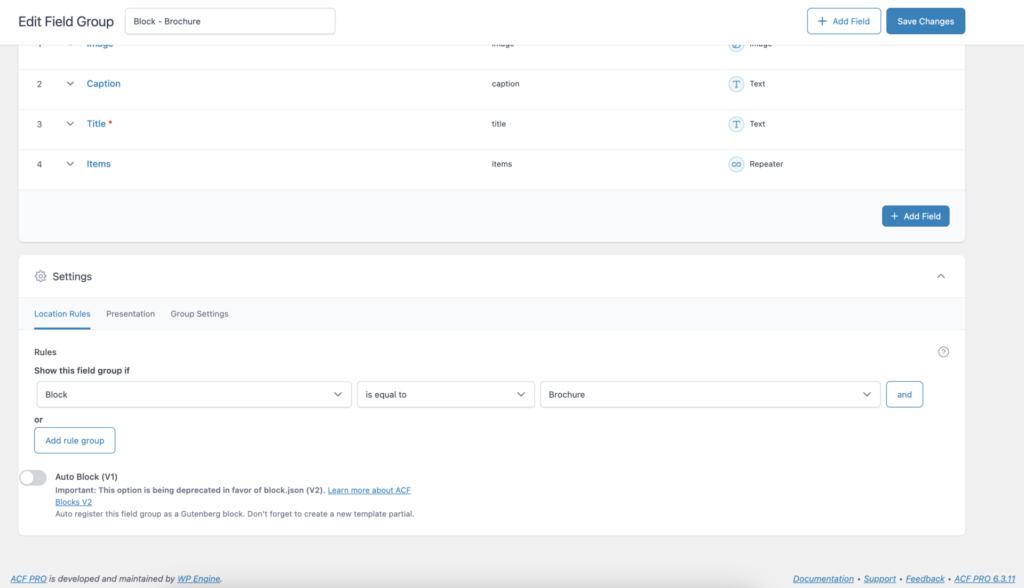
On the website, create an ACF’s Field Group.
Add the different fields the block will need. You can check the different field types in the official ACF’s docs.
Link the new ACF’s Field Group to the new Block (Settings > Location Rules):
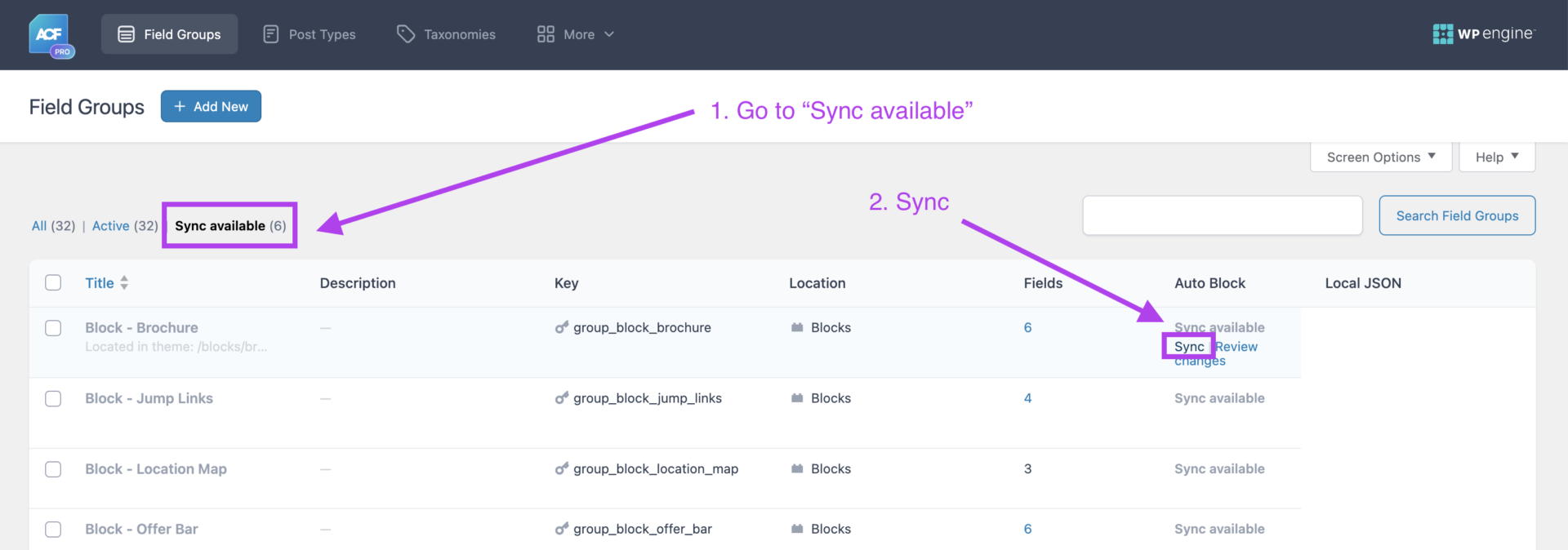
Sync the new ACF’s Field Group:
After that few steps you should be able to work with your new Block.